Settings
ClawIDE provides multiple ways to configure its behavior: CLI flags, environment variables, a JSON config file, and an in-app settings page.
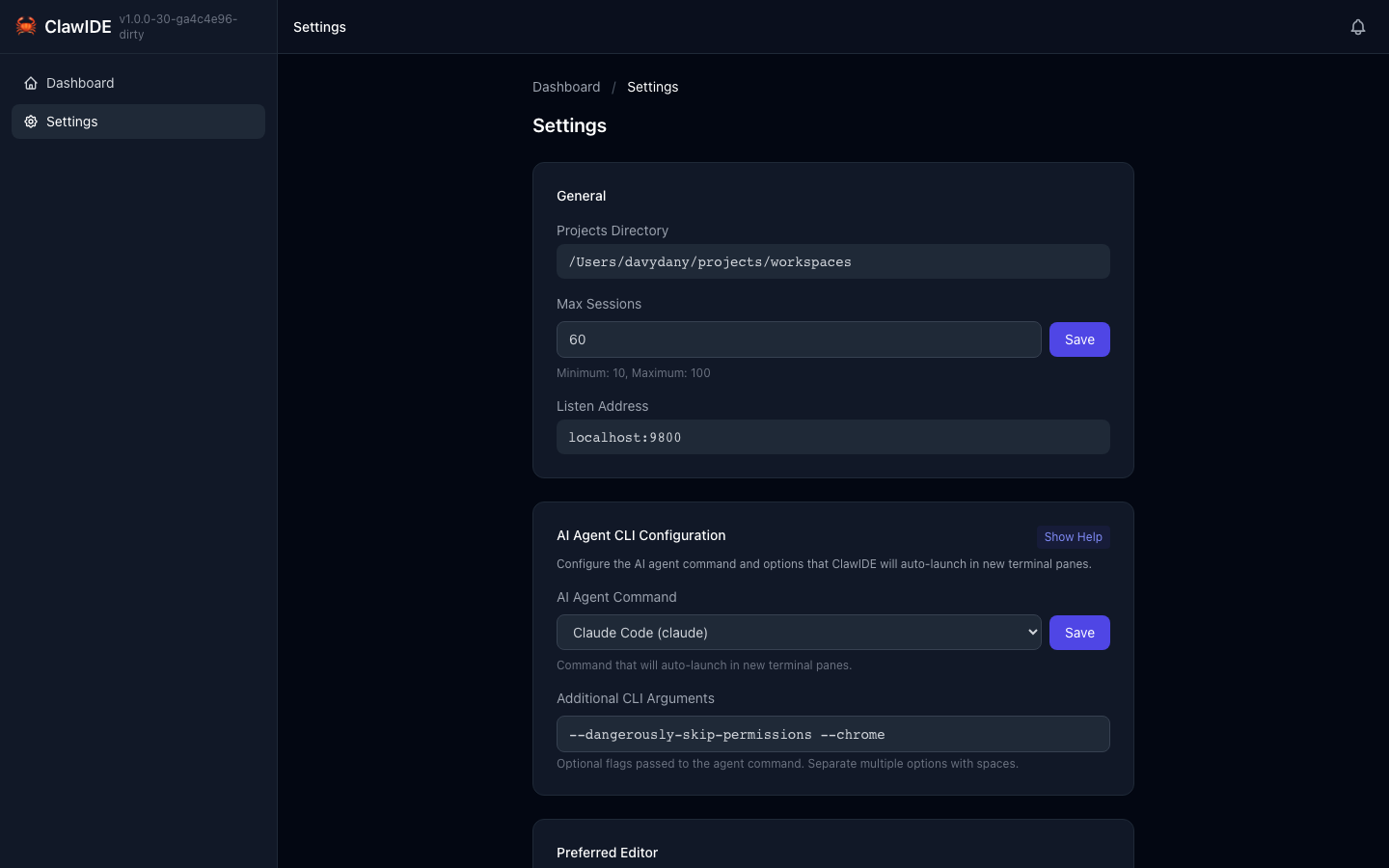
Configuration Options
| Setting | Flag | Env Var | Default | Description |
|---|---|---|---|---|
| Host | --host | CLAWIDE_HOST | localhost | Listen address |
| Mobile | --mobile | — | false | Bind to 0.0.0.0 for mobile/LAN access |
| Port | --port | CLAWIDE_PORT | 9800 | Listen port |
| Projects Dir | --projects-dir | CLAWIDE_PROJECTS_DIR | ~/projects | Root directory for projects |
| Max Sessions | --max-sessions | CLAWIDE_MAX_SESSIONS | 10 | Maximum concurrent terminal sessions |
| Scrollback Size | — | CLAWIDE_SCROLLBACK_SIZE | 65536 | Terminal scrollback buffer size (bytes) |
| Claude Command | --claude-command | CLAWIDE_CLAUDE_COMMAND | claude | Claude CLI binary name |
| Log Level | --log-level | CLAWIDE_LOG_LEVEL | info | Log level (debug, info, warn, error) |
| Data Dir | --data-dir | CLAWIDE_DATA_DIR | ~/.clawide | Directory for state, config, and PID file |
| Restart | --restart | — | false | Kill existing instance and start a new one |
Configuration Sources
ClawIDE loads configuration from three sources. When the same setting is defined in multiple sources, the highest-precedence source wins:
- CLI Flags (highest precedence) — Passed when launching
./clawide - Environment Variables — Set in your shell or
.envfile - Config File (lowest precedence) — Stored at
~/.clawide/config.json
Examples
CLI flags:
./clawide --port 8080 --projects-dir /home/user/code --log-level debug
Environment variables:
CLAWIDE_PORT=8080 CLAWIDE_PROJECTS_DIR=/home/user/code ./clawide
Config file (~/.clawide/config.json):
{
  "host": "localhost",
  "port": 8080,
  "projects_dir": "/home/user/code",
  "max_sessions": 20,
  "log_level": "debug"
}
In-App Settings Page
ClawIDE also provides a settings page accessible from the navigation bar:
- Click Settings in the top navigation.
- View and modify configuration options through the form.
- Changes are saved to the config file and take effect without restarting.
Restart Flag
If ClawIDE is already running and you want to replace the existing instance:
./clawide --restart
This kills the running ClawIDE process (identified by the PID file at ~/.clawide/clawide.pid) and starts a new one. Without --restart, ClawIDE exits with an error if another instance is already running.
See the full Configuration Reference for additional details.