Port Detection
ClawIDE automatically detects listening ports on your system, making it easy to access web servers, APIs, and other services started by your projects.
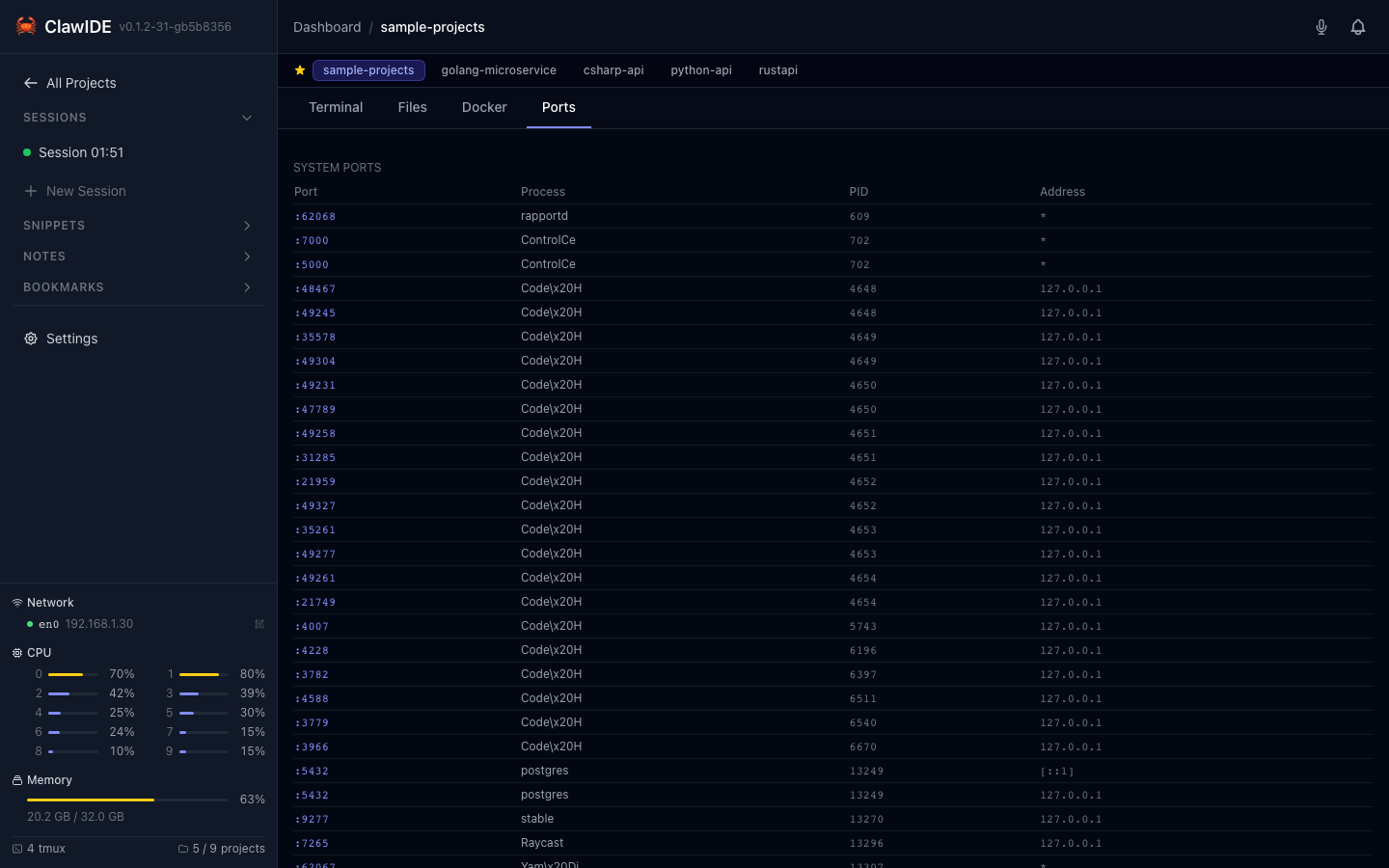
How It Works
ClawIDE discovers ports through two methods:
OS Port Scanning
ClawIDE uses OS-level tools to find ports that processes are listening on:
- macOS/Linux: Uses
lsofto scan for listening TCP sockets - Linux: Can also use
ssas an alternative
This catches any process listening on a port, whether it was started from a ClawIDE terminal, a background script, or any other source.
Docker Compose Port Extraction
If your project has a docker-compose.yml, ClawIDE parses it to extract published port mappings. This provides port information even before containers are started, so you know which ports will be used.
Viewing Detected Ports
- Open a project workspace.
- Navigate to the Ports panel.
- ClawIDE displays all detected ports with:
- The port number
- The source (OS process or Docker Compose)
- A clickable link to open the service in your browser
Refreshing Ports
The port list can be refreshed to pick up newly started or stopped services. ClawIDE queries the current state each time the ports panel is loaded or refreshed.
API
| Endpoint | Method | Description |
|---|---|---|
/projects/{id}/api/ports | GET | Detect and list all listening ports for the project |
See the API Reference for full details.