Docker Integration
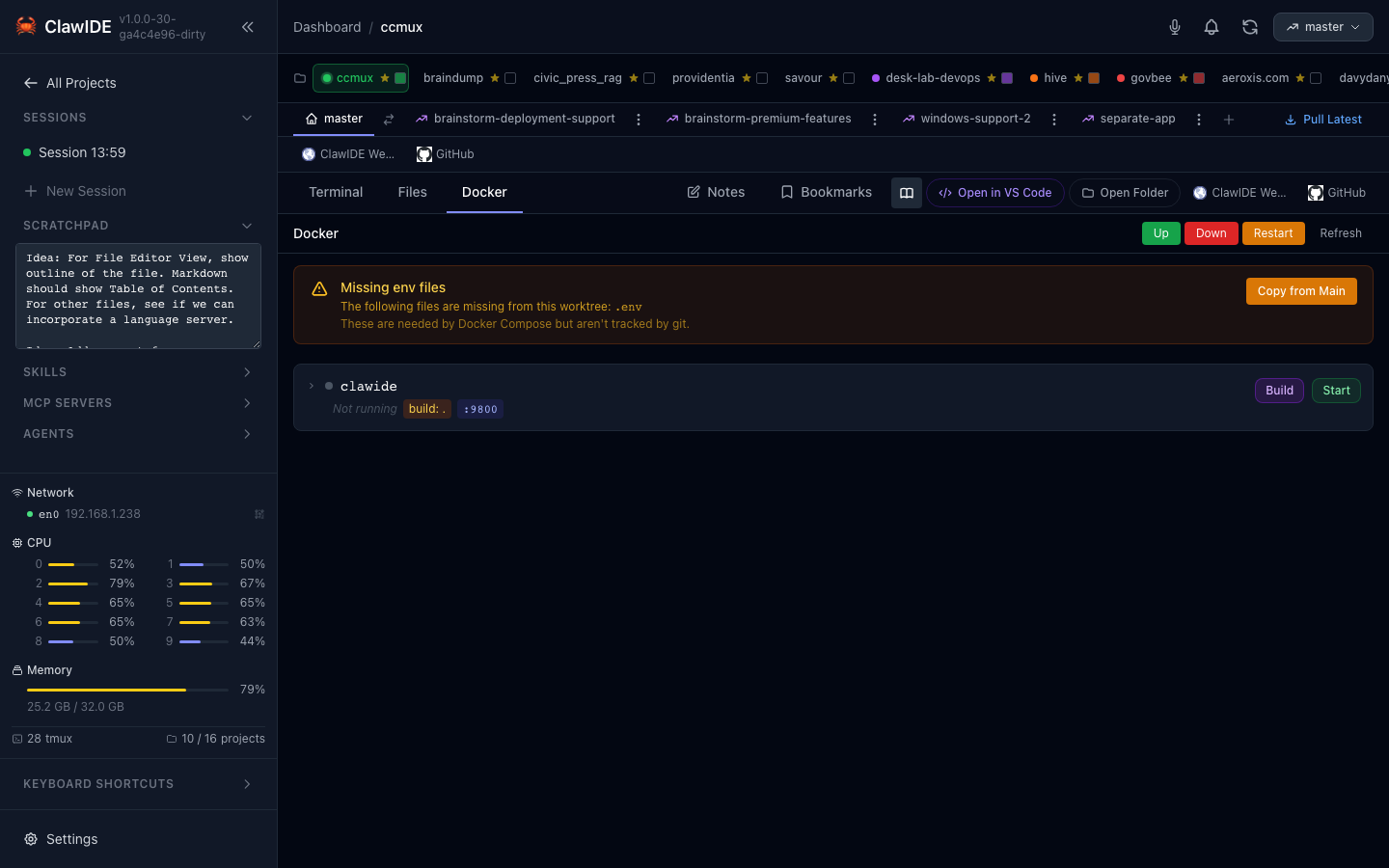
ClawIDE integrates with Docker Compose to let you manage your project’s services directly from the IDE. Start and stop containers, view service status, and stream logs — all without switching to a terminal.
Prerequisites
- Docker and Docker Compose installed on your system
- A
docker-compose.ymlfile in your project directory - If running ClawIDE in Docker, the Docker socket must be mounted (
/var/run/docker.sock)
Viewing Service Status
- Open a project that contains a
docker-compose.yml. - Navigate to the Docker panel in the project workspace.
- ClawIDE runs
docker compose psand displays each service with a status badge showing whether it’s running, stopped, or in an error state.
Managing Services
Start All Services
Click Up to start all services defined in the project’s docker-compose.yml. This runs docker compose up -d in the project directory.
Stop All Services
Click Down to stop and remove all containers. This runs docker compose down.
Restart Stack
Click Restart to restart the entire Docker Compose stack. This stops all containers and starts them again.
Build Services
Click Build to run docker compose build with streaming output. Build progress is displayed inline in the Docker panel, so you can watch the build in real time without switching to a terminal.
Individual Service Control
For each service, you can:
- Start — Start a stopped service
- Stop — Stop a running service
- Restart — Restart a service (useful after configuration changes)
Healthchecks
Services with Docker healthchecks display their health status directly on the service card. The status indicator shows:
- Healthy — The healthcheck is passing
- Unhealthy — The healthcheck is failing
- Starting — The container is still initializing
Log Streaming
Each service card includes an inline log viewer. Click the log icon to expand logs for that service — no need to open a separate panel.
ClawIDE streams Docker service logs in real time via WebSocket. New log lines are pushed to the browser as they arrive.
Feature Workspace Docker
Feature workspaces can run their own isolated Docker Compose stacks. Each feature workspace has its own Docker panel, so you can run different service configurations per feature without conflicting with the main branch or other features.
Troubleshooting
Docker Features Not Appearing
Verify that:
- A
docker-compose.ymlexists in your project root - Docker is running:
docker compose ps - The Docker socket is accessible:
ls -la /var/run/docker.sock
Running ClawIDE in Docker
When running ClawIDE itself in a Docker container, mount the Docker socket:
volumes:
  - /var/run/docker.sock:/var/run/docker.sock
This allows ClawIDE to communicate with the Docker daemon on the host.