🦀

Your command center for Claude Code

A web-based IDE for managing multiple Claude Code sessions across projects.

Self-hosted, single binary, your code never leaves your machine. Free for up to 2 projects — Pro from $9/mo with a 14-day free trial.

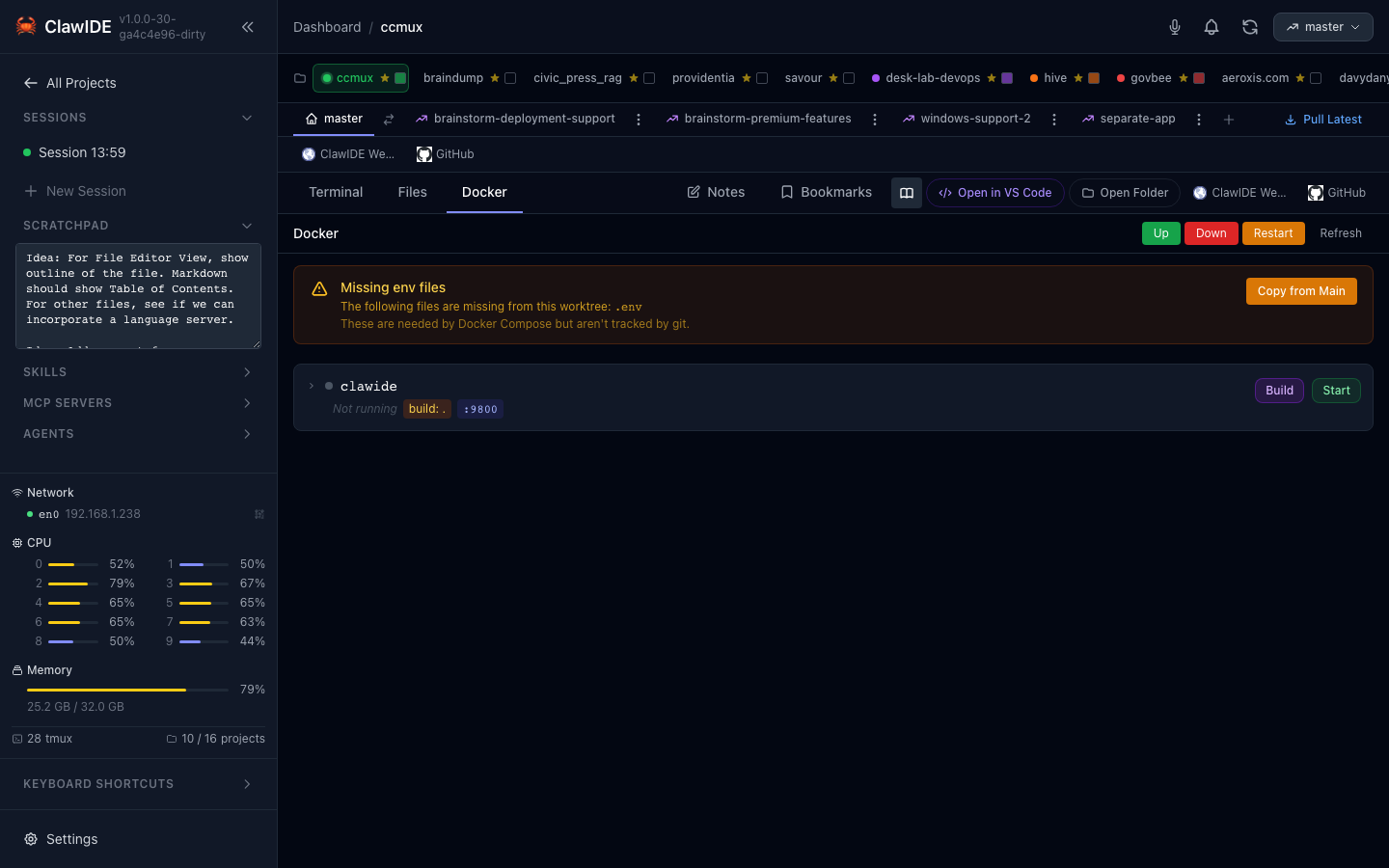
ClawIDE dashboard managing multiple Claude Code sessions

Everything in ClawIDE

The core IDE is free forever. Pro adds the automation & knowledge suite.

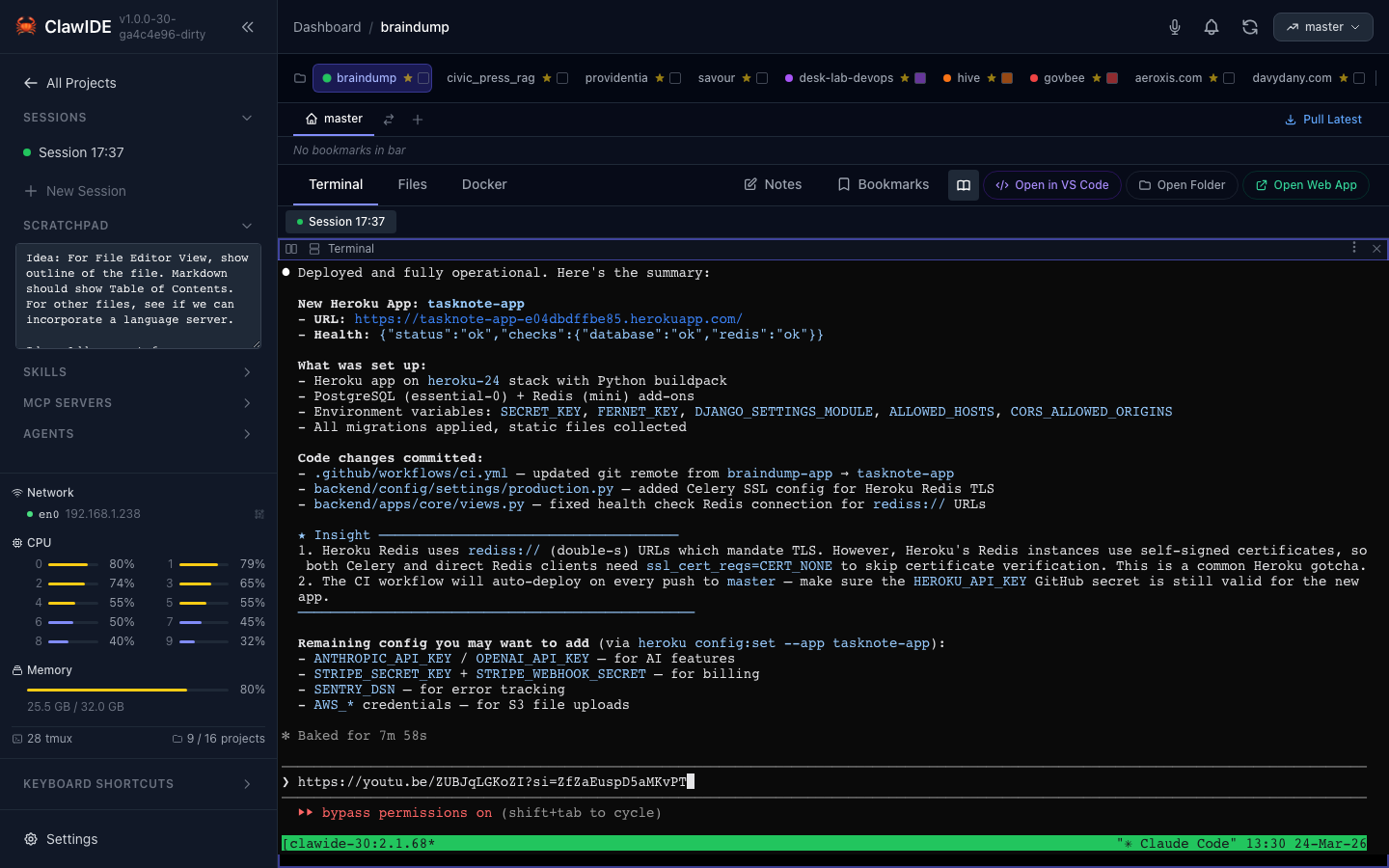
Terminal Sessions

Free

tmux-backed sessions that survive restarts, disconnects, and closed laptops — reconnect from any device.

Multi-Project Dashboard

Free

Every project and session at a glance. Free covers up to 2 projects.

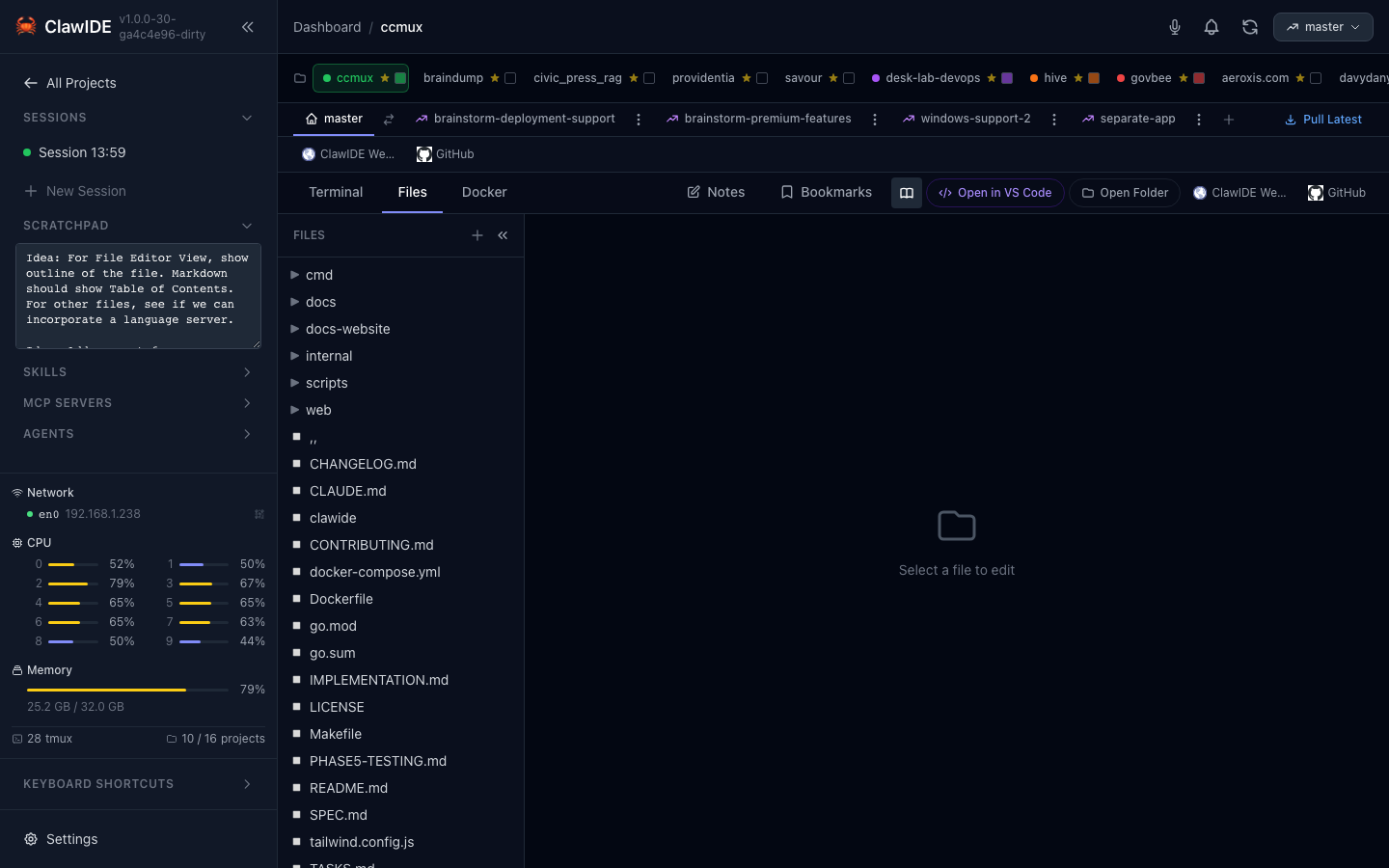
File Editor

Free

CodeMirror-powered editing with syntax highlighting and markdown preview.

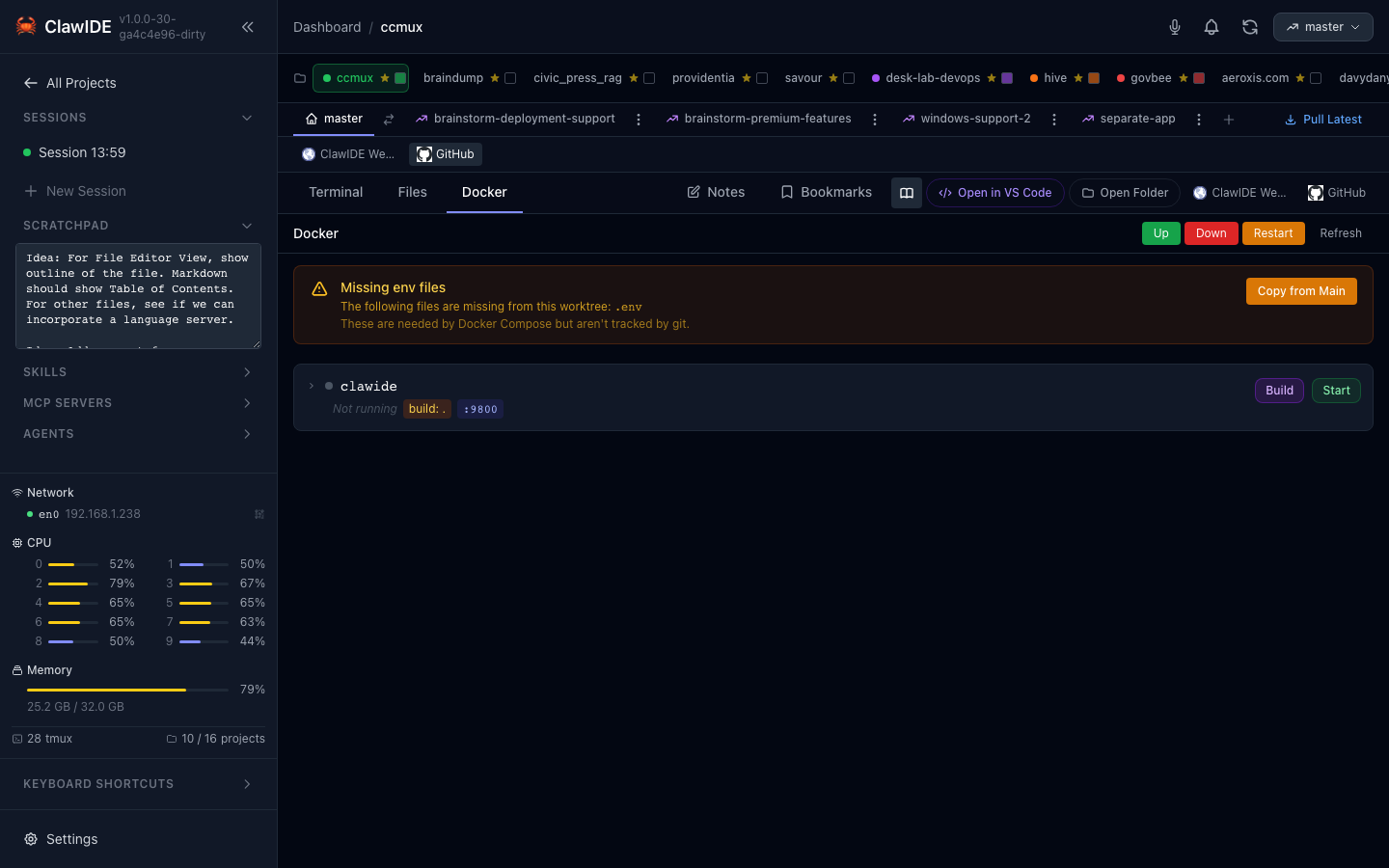
Docker Integration

Free

Start, stop, and tail your compose services without leaving the workspace.

Git Worktrees

Free

Branch-per-worktree development with built-in status and checkout.

Focus / Zen Mode

Free

Distraction-free full-screen focus on a single session.

Project Wizard

Free

Scaffold new projects with language- and framework-aware templates.

Command Palette

Free

Keyboard-first navigation across every project and action.

Mobile Access

Free

It's a web UI — open your sessions from a phone or tablet on your own network. No cloud relay.

Task Manager + AI

Pro

Kanban board with AI-assisted breakdown, linked branches, and markdown-backed storage.

Agents Library

Pro

Create, organize, and reuse Claude Code agents across global and project scopes.

MCP Server Manager

Pro

Manage MCP servers per scope — start, stop, logs, and status in one place.

MCP Debugger

Pro

The place to build and debug MCP: http/SSE/stdio transports, OAuth, tool calls, tracing, diagnostics.

Skills Manager

Pro

Author and organize Claude skills with scope-aware management.

Scheduled Loops

Pro

Recurring Claude runs on your hardware — private, sub-hourly, no cloud middleman.

PromptForge

Pro

A versioned prompt library with folders — never lose a good prompt again.

Notes & Bookmarks

Pro

Project-scoped notes and bookmarks, git-committable alongside your code.

Voice Box

Pro

Capture voice notes and drop transcripts straight into your sessions.

Multi-Provider Sessions

Free

Run Claude Code, Codex, Gemini CLI, Aider — or any custom agent — per pane. Not locked to one vendor.

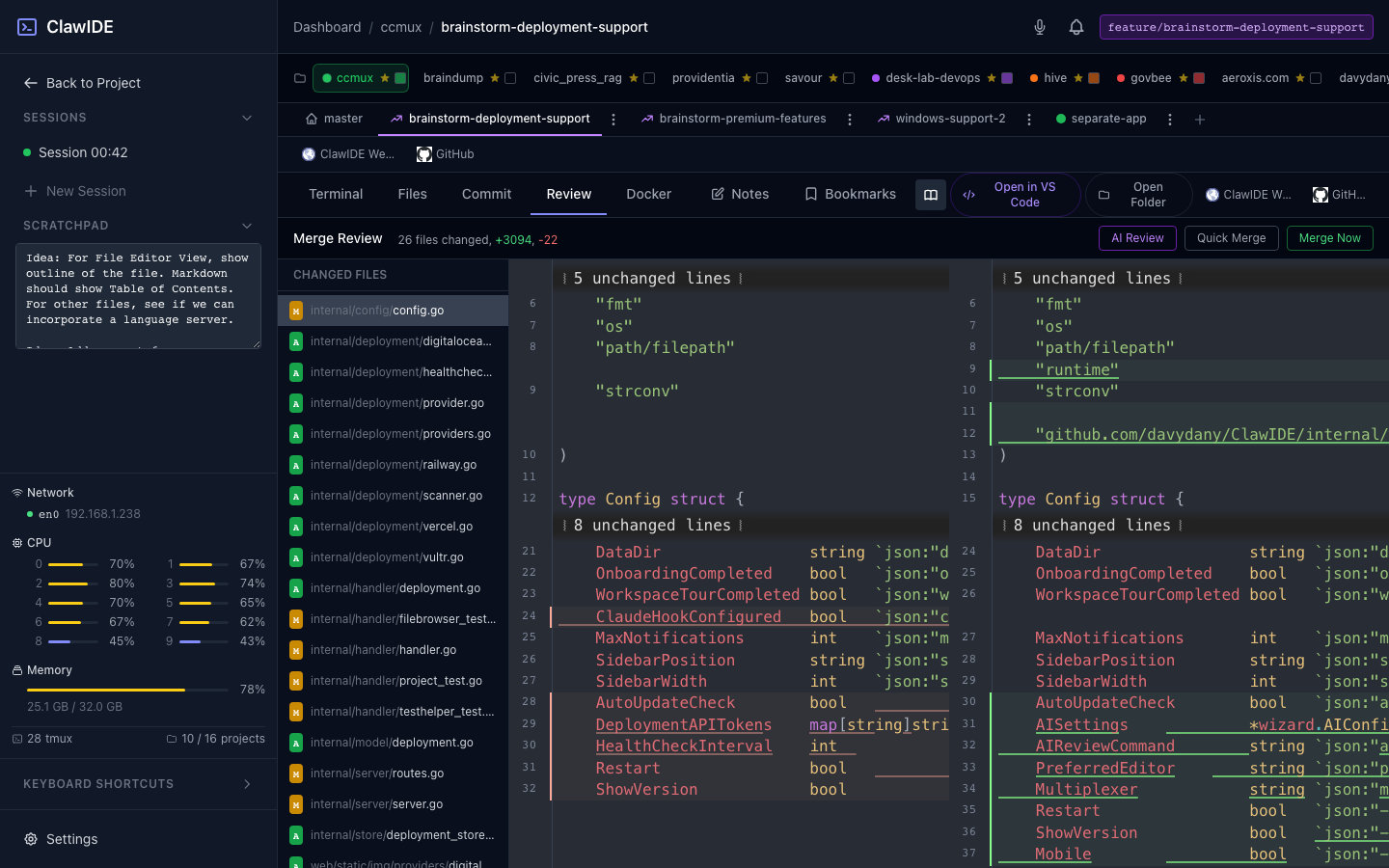
AI Code Review

Pro

One-click AI review of your branch diff — structured findings with severity, file, and line, right in the workspace.

Usage Analytics

Pro

Token and cost breakdowns per project, model, and session — parsed locally from your transcripts.

Session Checkpoints

Pro

Snapshot code + conversation before risky changes; restore in one click. Every restore is itself reversible.

Push Notifications

Pro

Web Push to your phone when a task completes or a session needs attention — no cloud relay.

Parallel Feature Workspaces

Pro

Isolated worktree workspaces per feature — run several Claude sessions side by side and merge with review.

Free

Sessions that never die

Every session is backed by tmux on your machine. Close the laptop, switch to your phone, come back tomorrow — your Claude Code sessions are exactly where you left them. No cloud relay reading your code, no per-seat SaaS.

Pro

The place you build & debug MCP

ClawIDE's MCP Debugger is the only full connection-testing workbench in its class: http, SSE and stdio transports, OAuth flows, live tool calls, resource reads, tracing, and diagnostics — beside the sessions that use them.

Why Choose ClawIDE?

Everything you need to boost your Claude Code workflow in one unified interface.

Unified Workspace

All your tools in one place — terminals, editor, Docker, and git without jumping between applications.

Parallel Sessions

Run multiple Claude Code sessions on different projects or branches simultaneously with split panes.

Zero Context Switch

Instant access to file editing, terminal sessions, and deployment tools without leaving the web interface.

Single Binary

Deploy as one standalone Go binary with no complex dependencies — runs anywhere you have Docker or tmux.

Features

Terminal Sessions

Manage multiple Claude Code sessions across projects simultaneously.

Dashboard

Clean web interface for monitoring and controlling all your sessions.

File Editor

Built-in code editor with syntax highlighting and live editing.

Docker Integration

Seamless Docker container management and monitoring.

Git Worktrees

Work on multiple branches simultaneously with git worktree support.

Port Detection

Automatic port detection and forwarding for running services.

Quick Start

Get up and running in seconds

$ curl -fsSL https://www.clawide.app/install.sh | bash
$ clawide
# Open http://localhost:8000